
Support
CS SSCC Management
In Warehouse Picks, the Autofill function has been disabled if SSCC is enabled for Warehouse Picks. Choose the SSCC number from the list of New or Open packages or create a new package number to add a new package:
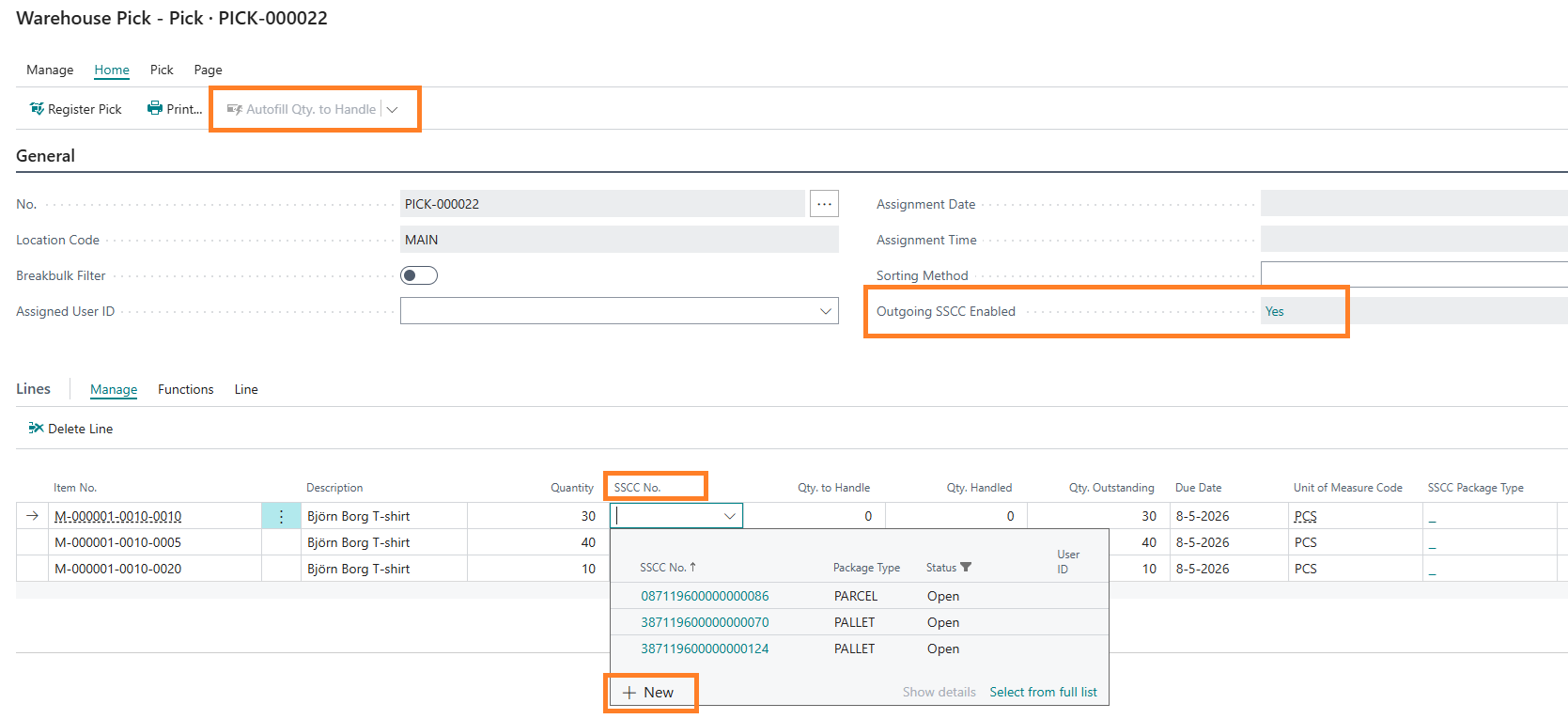
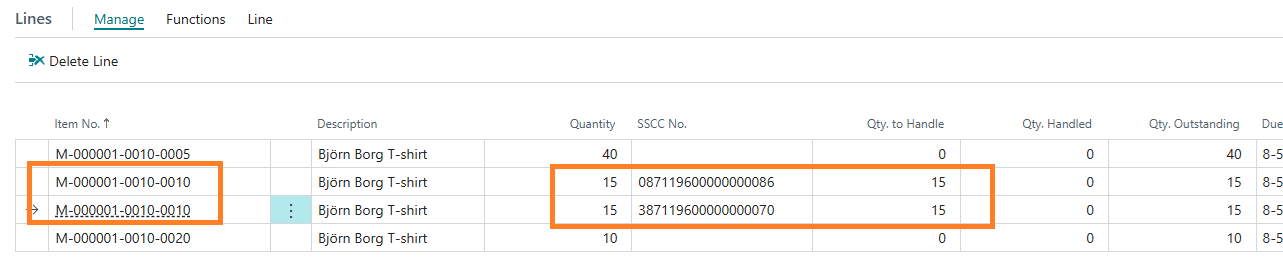
The Qty. to Handle will be inherited from the Quantity column as a proposal for the chosen SSCC number. CS SSCC Management will automatically split the current document line if less than the current quantity is chosen.
After Registering the Warehouse pick, the SSCC numbers are visible in the Registered Pick lines and in the Warehouse Shipment via the menu button SSCC Lines.
Central Solutions
Strijdakker 17 | 5673 TN | Nuenen (NL)
Chamber of Commerce 75296497
VAT ID NL860227790B01
support@central-solutions.nl
+31 85 401 73 40