Support
CS Colect Connector
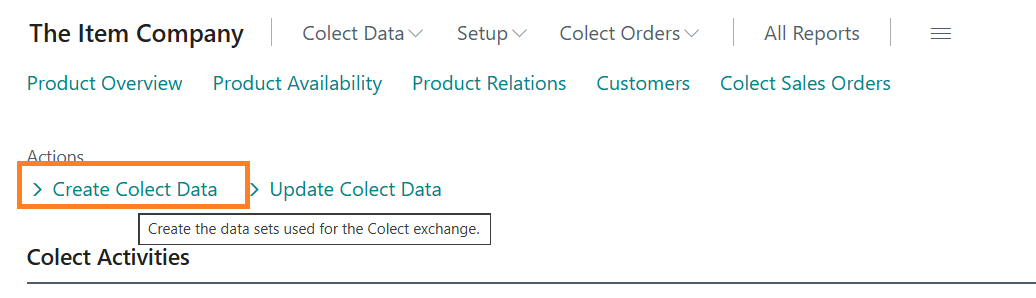
Items, product relations, available inventory, customers, invoices and orders are created in separate tables before the data is sent to Colect. The Create Colect Data task creates these tables.
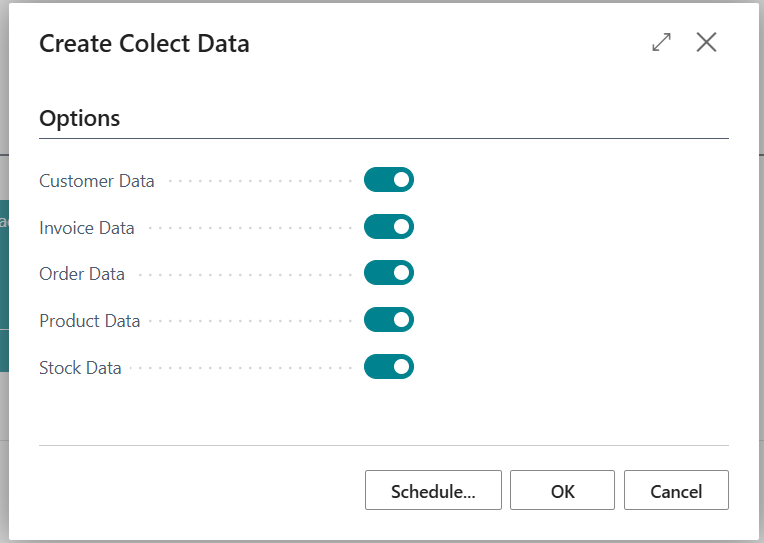
On the option page, select the message types that need to be created:
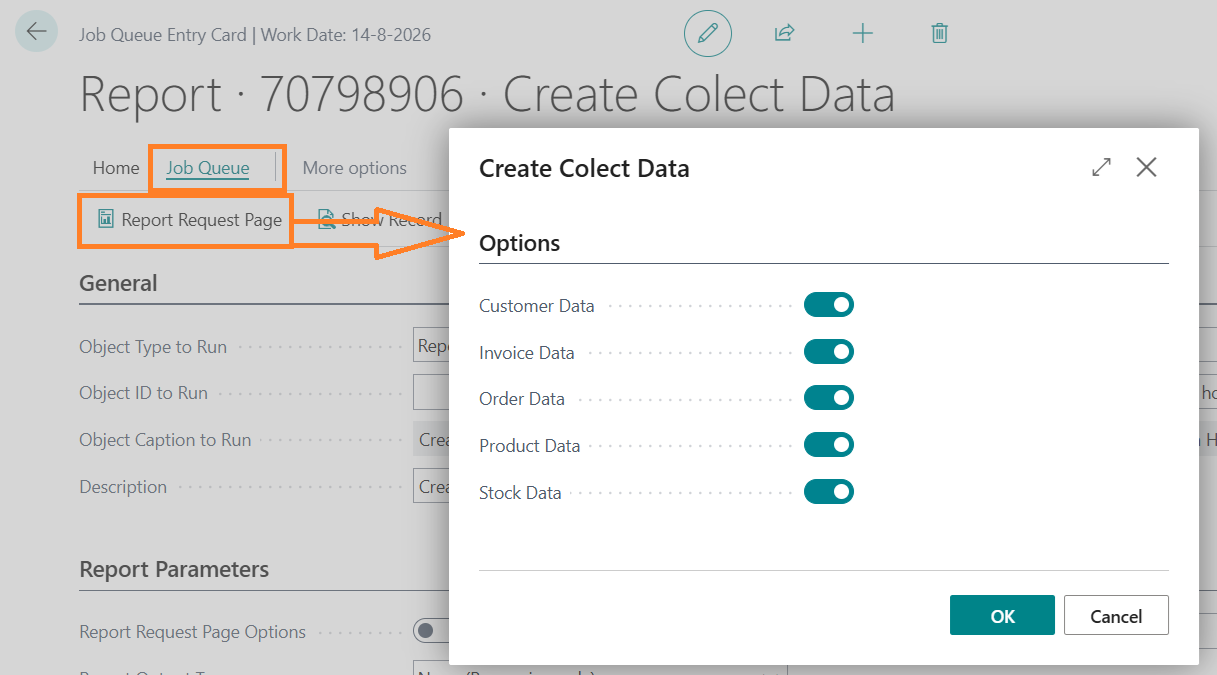
This job can be executed in the job queue as report 70798906, where the Options page can be set in the job:
To refresh the available stock more often, a second task needs to be created, with only the switch Stock Data turned ON. The second task can be started once per hour. The first task is sufficient
once or a few times per day.
The created tables with the message data are displayed via the role center menu:
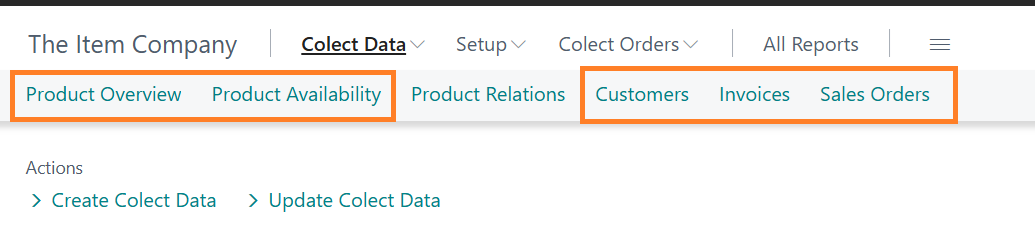
Product Relations are not created by a task, but maintained by a user.
Product Availability
The available inventory is the physical inventory in all locations listed in the stock location filter on the Colect Setup page, after deducting all pending sales orders in those locations for that item.
In addition, the future available stock is also displayed in Colect.
Per expected receipt date of items (from Purchase Orders or Transfer orders) is displayed within the stock location filter:
Number of items to be received +/+ Physical stock -/- Outstanding quantities in sales orders
And only if the available stock on that date is greater than 0.
The items to be received include all purchase orders with their expected receipt date, transfer orders with their receipt date, assembly orders and production orders with their end date for the target location.
Note:
Outstanding quantities in sales orders with a shipment date after the Exclude inventory requirement after (Date) (from the Colect Setup) will NOT be deducted from the available inventory.
Example:
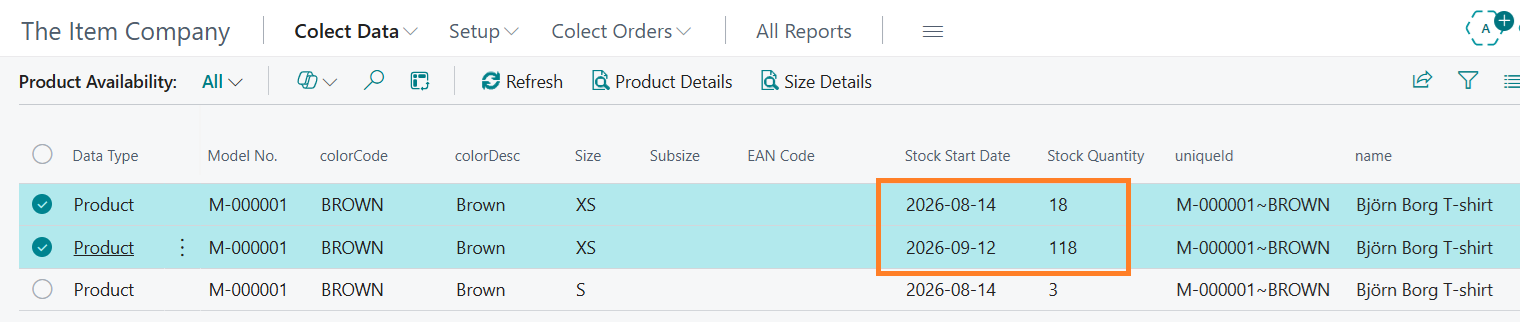
The Björn Borg T-shirt in color Brown, size XS
has an available stock level of 18 on 14 August 2026. On 12 September 2026, the
available stock level will be 118.
Product Relations are not created by a task, but maintained by a user.
Colect data
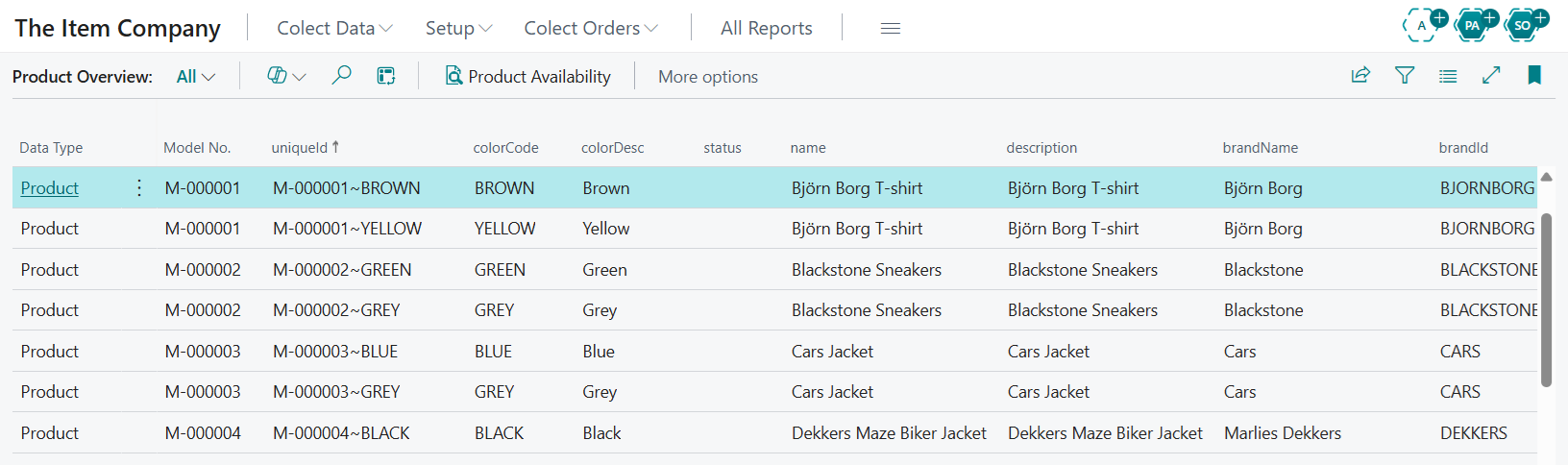
Available items for Colect are displayed on the Product Overview list page:
The card page of each item shows detailed
information that is included for Colect. Prices, Sizes and Extra fields (item attributes) are listed in subpages. Sizes have a separate subpage.
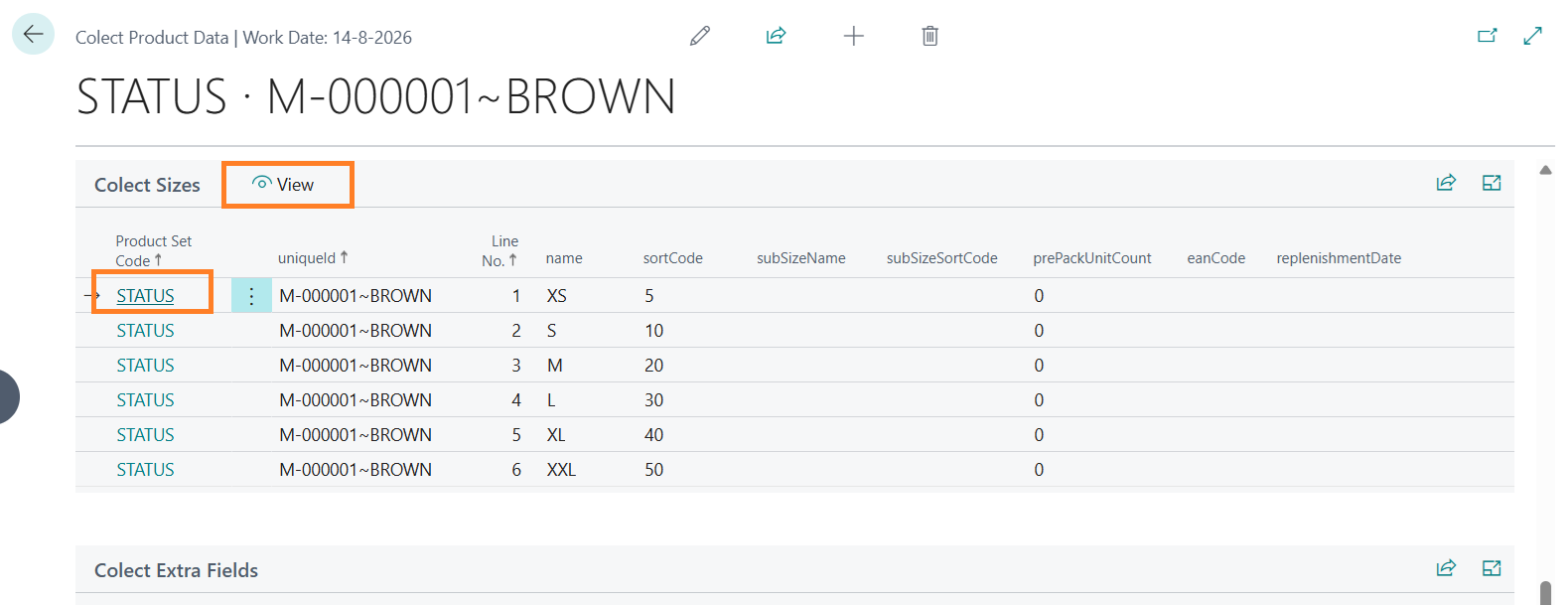
The available stock (including the 'future stock') and any prepack definition are displayed on the underlying page of a size.
Prepack definitions are displayed from assembly BOM lines if they are set up for an item.
Customer data available in Colect can be viewed on the Colect Customers page.
Sales orders available in Colect can be viewed on the Colect Orders page.
Sales invoices and credit memos available in Colect can be viewed on the Colect Invoices page.
Central Solutions
Strijdakker 17 | 5673 TN | Nuenen (NL)
Chamber of Commerce 75296497
VAT ID NL860227790B01
support@central-solutions.nl
+31 85 401 73 40