Support
CS SSCC Management
Created SSCC Numbers are visible in the SSCC List page. The page shows the number of (base) units in each package, the number of document lines where the SSCC number is used and a status.
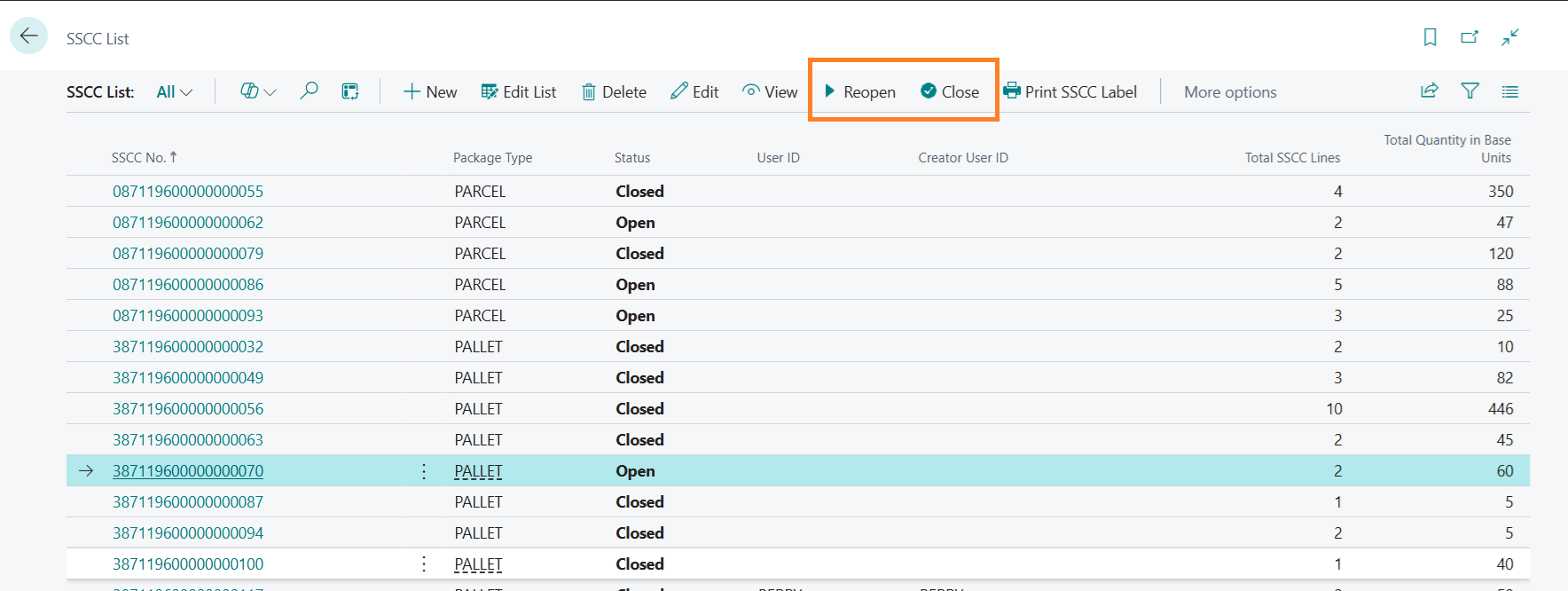
SSCC No.:
SSCC Label number.
Package Type:
Package type that the SSCC number was assigned to.
Status:
Shows the status of the package.
New: New package that has been identified with an SSCC no. but does not contain any
items yet.
Open: Package currently open for adding items.
Closed: Closed package, no longer available to add items.
User ID:
Last user that modified the package or its contents.
Note: User ID’s are not visible in this picture.
Creator User ID:
User that created the package.
Total SSCC Lines:
Total warehouse lines (picks, shipments and/or put-aways, receipts) included in this package.
Total Quantity in base units:
Total quantity of items in the package, in base units of measure.
The status can be Reopened using the menu button Reopen but only by the user that last modified the package. The status can be Closed using the menu button Close by all users.
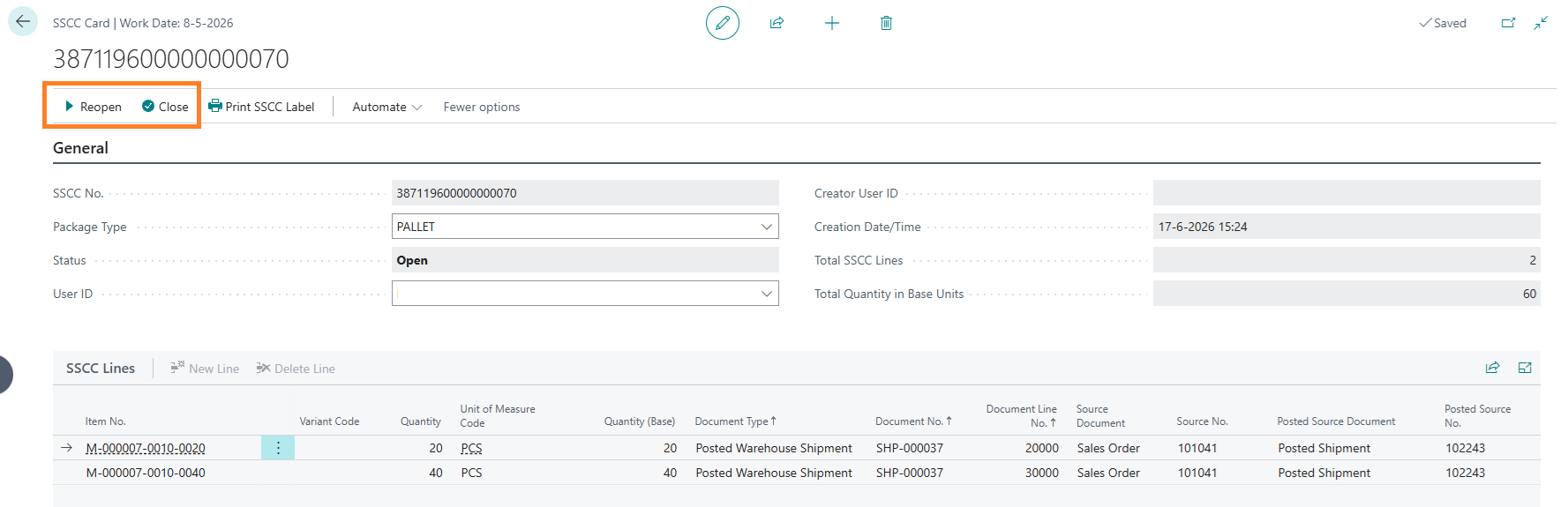
View the package contents by clicking the SSCC no. or by selecting View or Edit in the page menu. A card page view will show the contents of an SSCC package:
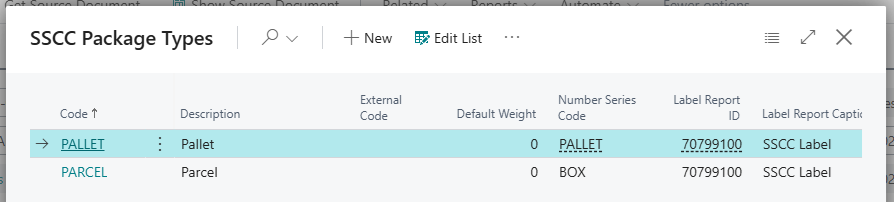
New packages with an SSCC number can be created by selecting + New in the page menu. A dialog box appears where the package type can be selected. The corresponding SSCC Number series will be used to calculate the next available SSCC number and calculate the check digit:
Central Solutions
Strijdakker 17 | 5673 TN | Nuenen (NL)
Chamber of Commerce 75296497
VAT ID NL860227790B01
support@central-solutions.nl
+31 85 401 73 40